
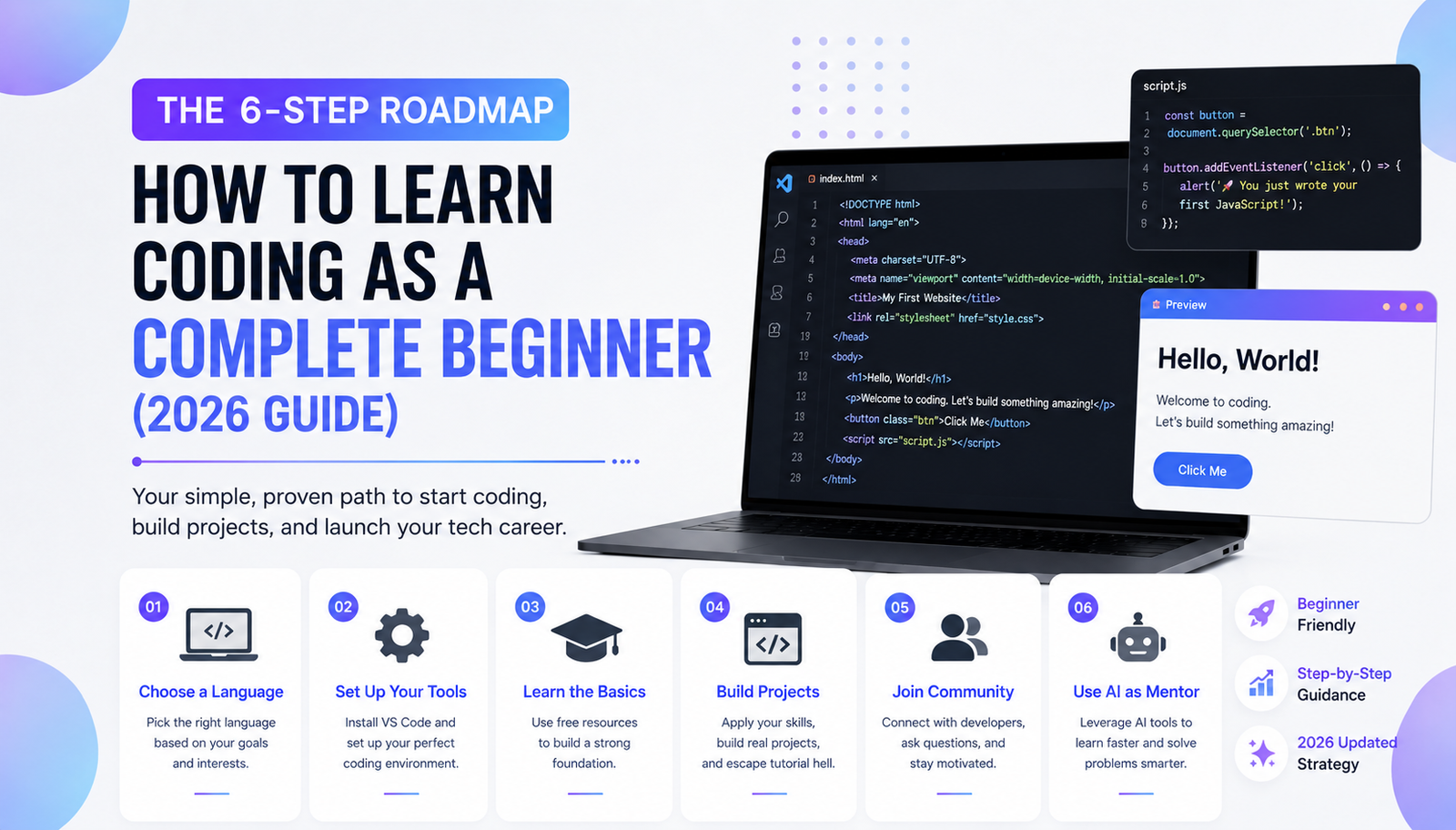
You do not need to understand computer science before writing your first program. You need a specific goal, a beginner-friendly learning path, and enough practice to recognize why your code works. This guide explains what to learn first, how to choose reliable free resources, and how to turn small exercises into a finished project.
What Does Learning to Code Actually Involve?
Programming means describing steps a computer can execute. A program might calculate a bill, organize files, display a website, or control a game character. Although languages look different, beginners repeatedly encounter the same ideas: variables store information, conditions make decisions, loops repeat actions, and functions organize reusable instructions.
Learning those concepts matters more initially than memorizing commands. Your first milestone should be explaining and modifying a small program without copying every line from a tutorial.
Choose Your First Language Based on What You Want to Build
There is no universally best programming language. Use the project you care about as your starting point.
| Your goal | Start with | First achievable project |
|---|---|---|
| Build websites | HTML, CSS, then JavaScript | Personal homepage with an interactive button |
| Automate tasks or analyze data | Python | File organizer or expense calculator |
| Make Roblox experiences | Luau in Roblox Studio | A platform that changes when touched |
| Develop Unity games | C# | Simple movement controller |
| Explore Unreal Engine games | Blueprints, then C++ when needed | Interactive door or pickup system |
HTML structures content and CSS controls presentation; neither replaces a general programming language. JavaScript handles interactive behavior on webpages. Roblox officially uses Luau, while Unity uses C# for scripting. Unreal supports both visual Blueprints and C++, so beginners can explore gameplay without immediately mastering complex C++ syntax.
If you have no project preference, Python is a reasonable first choice for learning general programming concepts. If your goal is a website, however, start with HTML and CSS rather than studying unrelated Python lessons.
Set Up a Workspace Without Overcomplicating It
For web and Python projects, install Visual Studio Code from its official website. It provides file editing, an integrated terminal, debugging features, and extensions. Create a folder named coding-practice, then open that folder in the editor.
For Python, install a supported Python release using the official downloads or your operating system’s recommended instructions. Check that the interpreter works before installing additional packages. Microsoft’s beginner setup guide also explains the Python extension for VS Code. For web basics, a modern browser and a text editor are enough to start.
Roblox Studio and game engines have their own editing and testing environments. Use those tools when following their official tutorials.
Learn Five Fundamentals Before Choosing a Framework
Start with values and variables. Next, practice comparisons and conditions, followed by loops, functions, and simple collections such as lists. These concepts support countless projects regardless of language.
Try this tiny Python exercise: ask someone for the number of minutes they practiced today, store the answer, and display a personalized message. Then improve it by calculating weekly totals or rejecting an invalid entry. The important step is changing the behavior yourself, not reproducing the teacher’s exact solution.
When something is unfamiliar, search the relevant official documentation. Documentation explains accepted inputs, return values, examples, and limitations. Getting comfortable reading it gradually reduces dependence on tutorial videos.
Choose Free Courses That Match Your Starting Level
Three trustworthy options serve different needs:
- MDN Learn Web Development: A structured introduction to HTML, CSS, JavaScript, and publishing a first website. Its beginner modules assume no previous web development experience.
- freeCodeCamp: Free, project-based lessons covering web development, Python, and other subjects, with optional certifications. Its exercises make practice part of the learning process.
- Harvard CS50x: A free introduction to computer science that explores algorithms and several languages. Its wider scope can feel challenging if you only want to build a simple website.
For a Python-first path, Microsoft’s beginner Python learning modules provide guided exercises. The official Python Tutorial is useful later, but it explicitly assumes some general programming knowledge; it is not designed as a complete introduction for someone who has never programmed.
Pick one primary course. Consult a second resource when an explanation is unclear, not whenever the first lesson becomes difficult. Completing half of five courses rarely produces a usable project.
An Eight-Week Beginner Coding Plan
This schedule is an example, not a promise of mastery. Adjust the pace around your available time and the difficulty of your chosen language.
Weeks 1–2: Understand and Experiment
Learn to create files, run code, use variables, and read error messages. Complete short exercises involving input, output, and calculations. After each lesson, change one requirement and solve it without replaying the demonstration.
Weeks 3–4: Control Program Behavior
Practice conditions, loops, functions, and collections. Build something that handles multiple cases, such as a quiz that checks answers or a budget calculator that rejects negative expenses. Test what happens when the user enters unexpected information.
Weeks 5–6: Build One Small Independent Project
Choose a project that solves a real, manageable problem. Write down three essential features before coding. For example, a study tracker might record a subject, minutes studied, and a daily total. Complete those features before considering accounts, databases, or elaborate designs.
Weeks 7–8: Improve and Share
Fix obvious bugs, simplify confusing code, and write instructions for using your project. Learn basic Git terminology and save meaningful changes. If you made a static website, GitHub Pages provides a documented way to publish it. A Python script can instead be shared with a README explaining its requirements and execution steps.
Use a Practice Method That Exposes Weak Spots
After watching a short lesson, close the video and recreate its core idea from memory. Then add a new feature the lesson never demonstrated. If you cannot do that, return to the relevant concept rather than restarting the entire course.
Keep a simple learning log with three entries: what you built, what failed, and what fixed it. Revisit an older exercise after several days. Being able to modify past code is a more useful progress signal than counting videos watched or certificates collected.
Learn to Debug Instead of Guessing
When code fails, first read the complete error message and identify the file or line mentioned. Reproduce the issue consistently, then inspect the inputs and expected output. Add temporary print statements or use a debugger to see which values change. Modify one suspected cause at a time and rerun the program.
If searching for help, include the language, the smallest code example that reproduces the problem, the complete error, and what you expected to happen. Never post passwords, access tokens, or private user information.
Use GitHub and AI Without Outsourcing Your Learning
Git records changes to project files; GitHub can host repositories and support collaboration. Its official Hello World exercise teaches repositories, branches, commits, and pull requests without requiring previous Git knowledge. Start by recording a working version of your project, then commit each meaningful improvement.
AI assistants can explain error messages, suggest test cases, and compare approaches. Ask for hints before requesting a complete solution. When AI produces code, explain each part, run it yourself, and check whether it handles unusual inputs. GitHub’s own guidance warns that generated code may be inaccurate or insecure. Do not paste private credentials or proprietary material into tools without understanding their data policies.
Common Beginner Mistakes Worth Avoiding
Switching languages every week interrupts progress. Starting with a complex application makes it difficult to separate ordinary syntax mistakes from architectural problems. Copying code without testing changes creates false confidence. Buying expensive courses before exhausting suitable free material is rarely necessary.
A better rule is to keep the project small enough that you can describe its behavior in a few sentences. Add complexity only when the existing version works.
Frequently Asked Questions
Can I learn coding without advanced mathematics?
Yes. Many introductory web, automation, and scripting tasks rely mainly on logic and basic arithmetic. Specialized areas such as graphics, machine learning, or certain game systems may eventually require more mathematics.
How much time should I practice each day?
Choose a sustainable schedule rather than an impressive target. Thirty focused minutes spent writing and testing code can be useful; regular practice matters more than an arbitrary daily quota.
Do I need a computer science degree to begin?
No degree is needed to start learning or publishing personal projects. Formal education can provide valuable foundations, and employers may have different requirements depending on the role.
When should I learn another language?
Consider expanding after you can independently create, debug, and explain a small project in your first language. A second language should serve a clear new purpose.
Conclusion: Make Your First Working Project the Goal
Choose one language, follow one reliable course, and build something small before collecting more tutorials. Keep your errors, document your fixes, and publish or share what you finish. The strongest early sign of progress is not knowing every command; it is solving an unfamiliar problem with skills you can explain.
Sources and Further Reading
- MDN: Learn Web Development — HTML, CSS, JavaScript, and first website guidance.
- Visual Studio Code: Getting Started — editor setup and features.
- Microsoft Learn: Python Fundamentals — beginner exercises and setup.
- Python Documentation: The Python Tutorial — official language tutorial and prerequisites.
- freeCodeCamp — free courses and certification information.
- Harvard CS50x 2026 — course scope and free access.
- Roblox Creator Hub: Luau — Roblox scripting language.
- Unity Documentation: Introduction to Programming — C# in Unity.
- Unreal Engine: Blueprint vs. C++ — scripting options.
- GitHub Docs: Hello World — introductory version control workflow.
- GitHub Docs: Pages Quickstart — publishing static sites.
- GitHub Docs: Responsible Use of Copilot Chat — AI code accuracy and security limitations.