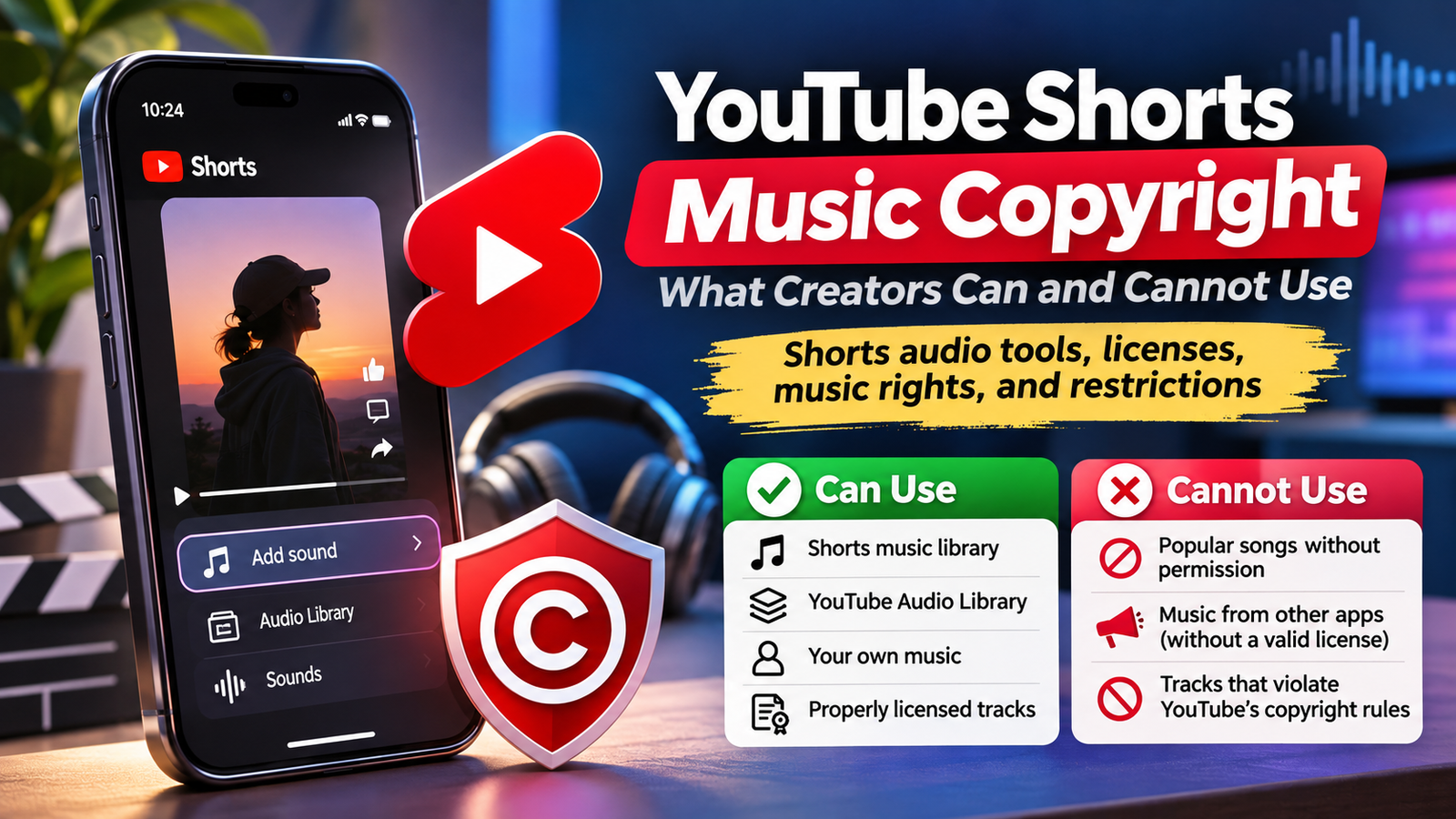
Adding music to a Short is easy. Understanding whether you can publish, monetize, or reuse it is harder. YouTube provides licensed music through Shorts creation tools, but those permissions are not identical to owning a song or buying an unrestricted license. Audio source, duration, and intended use matter.
Learn which music is safer, why Shorts get blocked, and how to check permissions.
The Three Music Sources Creators Often Confuse
Shorts audio library
Inside YouTube’s Shorts editor, creators can choose songs through Add sound or Sound. This catalog includes tracks supplied under agreements with music partners. Selecting an eligible track through YouTube’s tools enables the platform’s Shorts licensing workflow. It does not grant ownership, external distribution rights, or unrestricted commercial permissions.
Availability varies by song and territory. Another creator’s track may be unavailable in your region.
YouTube Audio Library
The separate YouTube Audio Library lives in YouTube Studio. It provides downloadable music and sound effects intended for use in videos. YouTube says its copyright-safe library tracks will not receive Content ID claims from rights holders. Some tracks require attribution; others do not. Check each license before editing.
This helps with desktop edits, longer soundtracks, or Shorts exceeding one minute.
External music and original recordings
Commercial songs imported from streaming services, editing apps, or downloaded videos do not inherit Shorts permissions. Buying a song generally permits listening, not video synchronization.
You can instead use music you created and control, or properly licensed third-party tracks. Check that the license covers synchronization, distribution, monetization, territories, and sponsorship. Owning a composition does not necessarily mean you own somebody else’s recording of it.
A useful rights test: Ask who wrote the song, who owns the recording, and who grants synchronization permission. A cover you record yourself may avoid using the master recording, but the underlying composition can still require permission. Documentary footage with music playing in the background can raise similar issues.
What Music Can You Use? A Practical Comparison
| Music source | Typical Shorts use | Main condition |
|---|---|---|
| Shorts sound picker | Licensed songs inside Shorts | Add through YouTube’s creation tools |
| YouTube Audio Library | Background music and effects | Follow track-specific attribution terms |
| Your original recording | Music you fully control | Clear any collaborators’ rights |
| Licensed stock music | Editing outside YouTube | Check exact license and platforms |
| Popular song imported externally | Potential claims or removal | Obtain necessary rights independently |
| Creator Music license | Not for Shorts | Licenses apply to eligible long-form videos |
Copyright protection alone is not the distinction. The question is whether the relevant rights holders have authorized your particular use.
The One-Minute Rule for Longer Shorts
YouTube accepts Shorts up to three minutes long. For standard channels, most songs available in the Shorts audio library can be used for up to 90 seconds within a three-minute Short, although individual tracks may allow only 60 or 30 seconds. Check the editor for permitted duration.
A separate restriction is crucial: a Short longer than one minute with an active copyright claim is blocked globally, regardless of the claimant’s usual policy. It cannot play, be recommended, or earn Shorts revenue. The claim itself does not automatically create a copyright strike.
These rules are compatible because licensed, in-product Shorts music is handled differently from unauthorized music embedded into a finished file. When making a 75-second tutorial, for example, adding an eligible 60-second music segment inside the Shorts editor is different from uploading a video with the same commercial recording already mixed into its audio.
If you cannot use the requested song through the editor, choose suitable Audio Library music or obtain appropriate permission. Shortening unlicensed music is not a workaround.
How to Add Music With Fewer Copyright Problems
When editing on your phone
- Open the YouTube app and start creating a Short.
- Record footage or import your own clips.
- Select Add sound or Sound and search for the track.
- Check the permitted segment length before arranging your edit.
- Adjust music, original audio, and voiceover levels.
- Review your upload details and any copyright notices.
Keep narration clearly audible over music. Save a clean version for later soundtrack changes.
When editing on a computer
Open YouTube Studio, select Audio Library, and filter music by genre, mood, duration, or attribution requirement. Download a track and keep its license details with the project. If attribution is required, copy the provided credit into your description.
Then export your edited Short and inspect its copyright status after upload. Initial checks are not permanent guarantees.
Claims, Blocks, and Strikes Are Different
A Content ID claim means YouTube detected material matching a rights holder’s reference. Depending on the content and policy, the owner may track, monetize, or block a video, sometimes only in particular countries. Shorts longer than one minute have the stricter active-claim rule described above.
A copyright strike follows a valid copyright removal request and removes the affected video. Three active strikes within 90 days can put a channel at risk of termination. Distinguish claims from strikes; review both.
To investigate, open YouTube Studio, locate your video, and inspect the Restrictions or copyright notice. Available responses can include trimming the disputed segment, replacing music with an Audio Library track, or erasing the song. YouTube warns that saved Studio Editor changes cannot be reverted, so retain a project backup.
Dispute only when you have a solid basis, such as a valid license, mistaken match, or applicable copyright exception. An unsuccessful dispute can escalate if the owner submits a removal request.
What About Monetization and Sponsored Shorts?
Eligible YouTube Partner Program creators who accepted the Shorts Monetization Module receive 45% of their allocated Creator Pool revenue. Shorts advertising revenue is pooled; some revenue supports music licensing before the creator allocation is calculated. Using licensed music does not automatically disqualify a Short from monetization.
However, monetization eligibility does not authorize every use of a recording. The music picker is not a blanket license for advertisements, external reposts, brand campaigns, or use on other platforms. For commercial partnerships, confirm relevant permissions before committing to a song. If you need one exported advertisement for several social networks, a suitable independently licensed soundtrack is often more practical.
Creator Music is another frequent source of confusion. Its licensing and revenue-sharing options apply to eligible long-form YouTube videos, not Shorts or live streams. Purchasing a Creator Music license should not be treated as Shorts clearance.
Copyright Myths That Cause Avoidable Claims
Giving credit, disabling monetization, writing “no copyright intended,” changing pitch, or using only a few seconds does not automatically establish permission. Neither does hearing the song in thousands of other Shorts.
Fair use and related copyright exceptions depend on facts and applicable law. Commentary, criticism, and parody may present stronger arguments than decoration, but adding a reaction or caption does not automatically make borrowed music lawful. YouTube’s automated systems cannot conclusively decide these legal questions.
Another overlooked risk involves remixing other users’ audio. If the source creator removes their video or restricts remixing, audio remixes may be muted, made unlisted, and scheduled for deletion. Keep your own clean master and avoid building an irreplaceable project around another user’s sound.
A Prepublication Music Checklist
Before every upload, answer these questions: Where did the audio originate? Was it added using YouTube’s Shorts tools? Does the chosen song permit the segment length? Is the Short longer than one minute? Does a separate license cover uploads, monetization, sponsorship, and intended platforms? Is attribution required? Have you reviewed copyright notices and retained proof of permission?
If any answer is uncertain, replace the music before publication. Keep dated license copies for records. This quick review is cheaper than rebuilding a Short after it has gained traction.
Frequently Asked Questions
Can I use a trending song in a monetized Short?
Yes, when it is available for your Short through YouTube’s licensed creation tools and your content meets monetization rules. Availability is not permission for unrelated uses.
Is YouTube Audio Library music completely free?
YouTube provides tracks at no charge for permitted YouTube use. Some require attribution. Read the displayed license rather than assuming every track has identical terms.
Can I upload a Short with music from CapCut?
You can upload the file, but editing-app access alone does not prove that music is cleared for YouTube. Check the track’s actual license or use YouTube’s own supported music tools.
Can a copyright claim disappear later?
Yes. It may be released by the claimant or cleared after successful removal, replacement, or dispute. Check the updated status in Studio before assuming the restriction is gone.
Does a viral sound remain usable forever?
Not necessarily. Licensing, location, remix permissions, and availability can change. Maintain a version of your video without third-party audio.
Conclusion
For most creators, the safest workflow is straightforward: add eligible songs through Shorts tools, use YouTube Audio Library tracks for externally edited videos, and verify independent licenses when producing sponsored or multiplatform content. Check duration limits and copyright notices, especially on Shorts exceeding one minute. Good music supports creativity; proper permission protects access and your channel.
Sources
- YouTube Help: Understand three-minute YouTube Shorts
- YouTube Help: Manage Shorts as a rights holder
- YouTube Help: Use music and sound effects from the Audio Library
- YouTube Help: Enhance your Shorts
- YouTube Help: Understand Creator Music usage details
- YouTube Help: Learn about copyright claims
- YouTube Help: YouTube Shorts monetization policies
- YouTube Help: Remove copyright-claimed content from videos
- YouTube Help: Common copyright myths
- YouTube Help: Create Shorts with remixed content
- YouTube Help: Understand copyright strikes